Verdict: The best reptile apps for breeders reduce repeated work. A breeder gains more from reliable identity, fast batch entry and clean exports than from decorative charts.
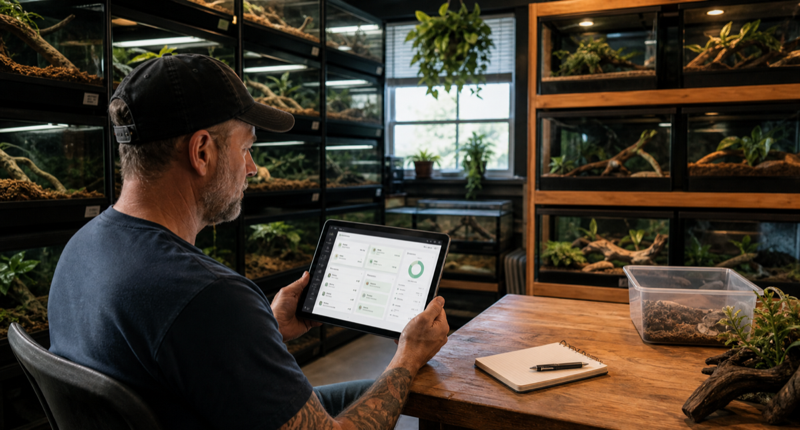
Why breeder workflows are different
A collection of twelve animals already exposes friction that a one-pet demo hides. The app must keep similar animals distinct, move quickly between profiles and make routine events easy to repeat. Search should work with names, internal IDs and enclosure labels.
Breeding records add pairings, clutches, hatch dates and lineage. Those fields are useful only if they remain connected to each animal and can leave the platform in a sensible export.
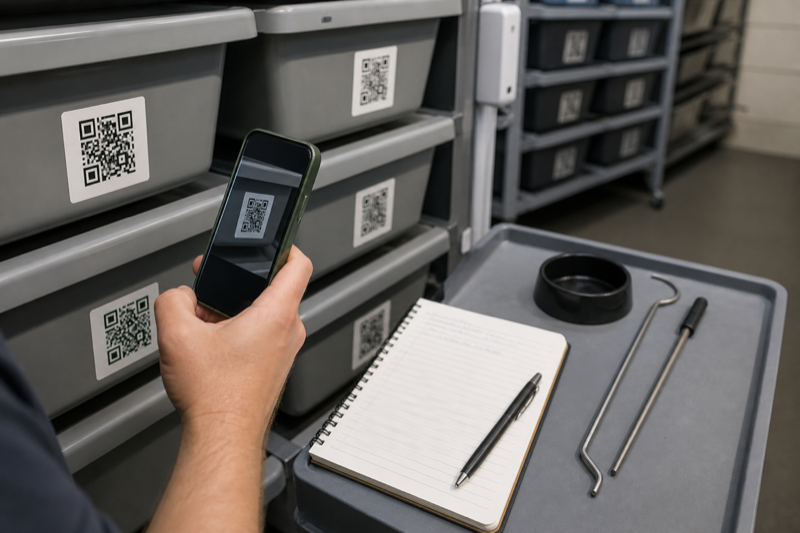
Batch tools to test
- Record the same event for several animals
- Filter by species, group or status
- Print or scan stable identity labels
- Find overdue tasks without duplicate reminders
- Export animals and events with consistent IDs
Reliability comes before speed
Batch entry is risky if a tap applies an event to the wrong animal. Test cancellation, undo and edit behavior. Then close the app, reopen it and confirm that every record is still attached to the intended profile.
How we will rank breeder apps
Best choices for a breeder workflow
Husbandry.Pro Next and Reptile Scan are the two clearest starting points for a serious comparison. Husbandry.Pro publishes tiered plans from a small free account through breeder, commercial and institutional levels. Its higher plans add breeding systems, QR scanning, sales tools, multiple users and stronger account controls. Reptile Scan combines web management with mobile scanning, clutch records, racks, reports and batch registrations.
The distinction is less about which list is longer and more about where work happens. Reptile Scan expects much of the setup and administration to happen in its web console, while the phone app is built for quick actions. Husbandry.Pro Next positions the phone, tablet and desktop as parts of the same broader workspace.
Collection features that save real time
- Permanent animal IDs that survive name changes and sales
- Rack and enclosure locations that can be updated in batches
- Pairing, clutch and offspring links that remain traceable
- Feeder inventory and planned feeding lists
- Role-based access for staff or family helpers
- Export files that can be opened without the original service
Batch actions need guardrails. The screen should show exactly which animals are selected, what event will be added and how to undo a mistake. Saving thirty cleanings to the wrong rack is faster than paper, but it is not progress.
Run a breeder-sized trial
Do not test with one animal. Create at least twelve sample profiles across two racks, add a pairing and follow a clutch through laying, incubation and offspring IDs. Move several animals, record a batch feeding and invite a second user if the plan supports it. Then export everything.
Also check what happens when an animal is sold. A good system preserves your history, creates a useful transfer record and removes the animal from daily task lists without erasing it.
FAQ
Are QR codes required?
No. They are useful when enclosure identity is the slow part of logging. Small collections may be faster with search or favorites.
How much history should a breeder keep?
Keep enough to document identity, care, breeding and transfers under the rules that apply to your animals and location. The app should not decide that policy for you.
Plan the workflow: Our guide to managing a large reptile collection covers IDs and room routines. The pricing comparison helps estimate the cost as animal numbers grow.