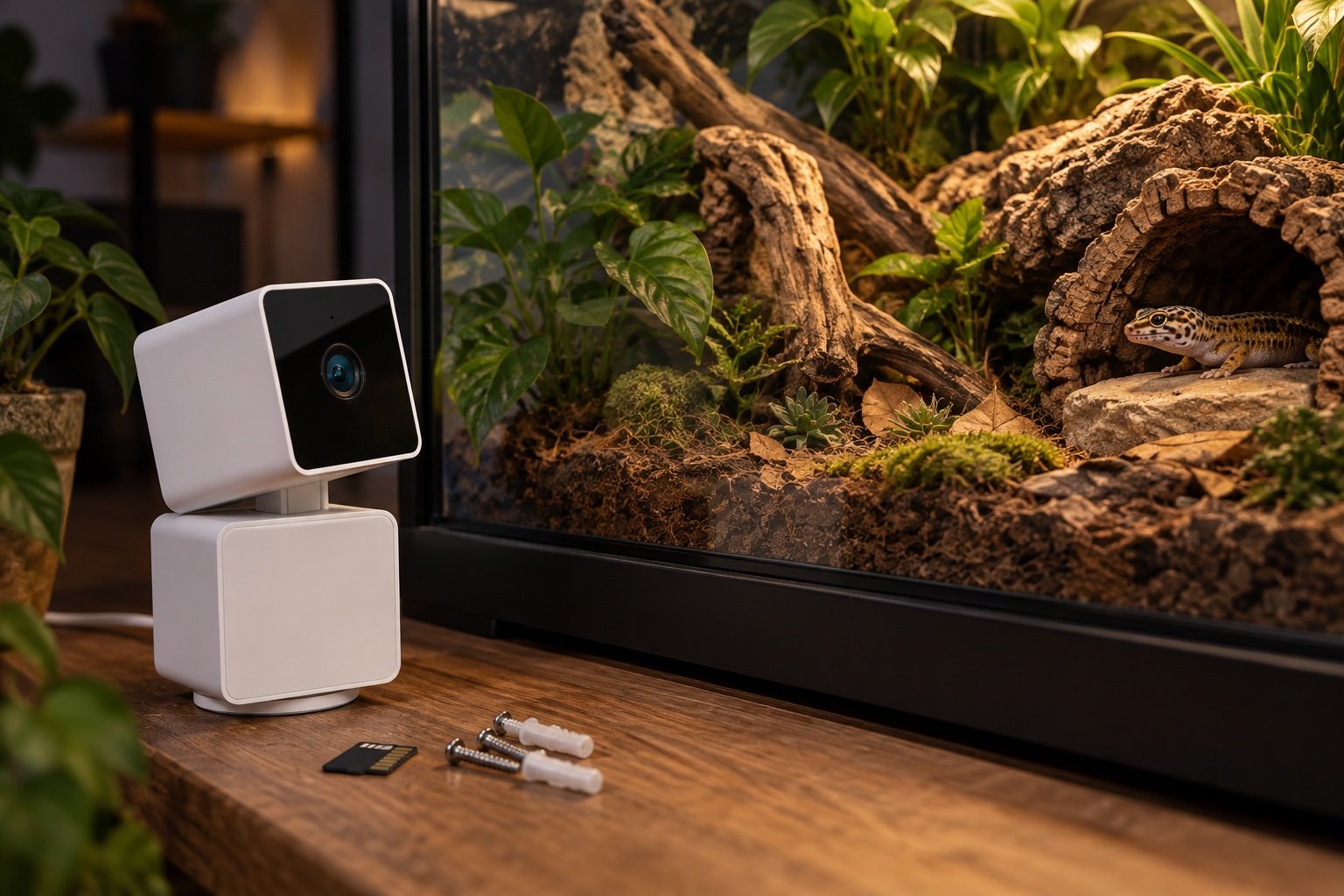
Quick verdict: The Pan v3 covers a large reptile room well, but motorized movement does not solve glass glare. It works best outside the enclosure, angled away from reflections, with motion tracking disabled when branches or insects cause constant hunting.
We judge the device or method by the job it can repeat. Keep the best enclosure cameras and app data and privacy nearby while planning the setup.
| Point | What to know |
|---|---|
| Video | 1080p, 20 fps day and 15 fps night |
| Movement | 360° horizontal and 180° vertical range |
| Connection | 2.4 GHz Wi-Fi |
| Storage | Local microSD plus optional cloud services |
Pan and tilt help the room more than one tank
A fixed camera aimed correctly at one enclosure rarely needs to move. The Pan v3 becomes more useful when one mounting point must inspect several habitats or a whole rack aisle. Preset positions reduce wandering. If the camera constantly tracks feeder insects, foliage or reflections, the motor adds noise without adding evidence.
Night vision and glass are uneasy partners
The 850 nm infrared LEDs can bounce off glass and wash out the animal. Move the camera closer to the pane, shoot at an angle, darken the room behind the camera or disable onboard infrared and use external illumination positioned away from the lens. The reptile enclosure camera guide includes a simple glare test before permanent mounting.
Mount outside the wet and hot zones
IP65 weather resistance does not mean the camera belongs inside a hot, humid habitat. The cable, power adapter and moving base need room. Mount the unit outside, keep the USB lead away from misting lines and confirm that pan movement cannot pull the cable across a lamp or sharp edge.
Privacy starts with the field of view
The head-down privacy mode physically turns the lens away, which is clearer than a tiny software icon. Still, review every preset before enabling remote access. A camera aimed at an enclosure can easily capture doors, desks or people beyond it. Use a separate account, strong credentials and only the cloud features the household actually wants.
Local recording needs a maintenance habit
A microSD card reduces dependence on a subscription, but cards wear out and recordings can silently stop. Check playback monthly, confirm the clock after power loss and replace the card when errors appear. A camera is useful for behavior and incident review. It does not replace environmental alerts from a dedicated sensor.
A seven-day field check
Run the finished setup for a week before treating it as settled. On day one, photograph every position and record the room conditions. Watch the first warm-up and the final hour of the schedule. Midweek, compare the main reading with an independent instrument placed beside it long enough to stabilize. Near the end of the week, test a safe interruption such as a network loss or short power cut.
Do not tune settings every time a single reading looks odd. Look for a repeated pattern and change one variable. A clear notebook entry is more useful than a folder of screenshots with no explanation.
Build a baseline you can reproduce
Write down the room temperature, enclosure dimensions, heat and light sources, probe positions and the time each reading was taken. A number without that context is hard to compare. Use a photograph from the same angle and place a small reference mark outside the animal’s contact area. The next check should be able to recreate the first one without relying on memory.
Run the setup from a normal overnight low instead of beginning with an already warm habitat. Note how long it takes to reach the working zone and whether it overshoots. Then repeat with the enclosure doors closed, lids fitted and ventilation in its final position. A test performed while the habitat is open describes the workshop, not daily use.
Decide what would make you stop using it
Set rejection points before becoming attached to the purchase or layout. A drifting probe, missed schedule, damaged cable, unreachable sensor or unreliable power recovery is a reason to pause. So is a control that only works while a phone or cloud service is available. Write the limit and the action beside it.
Small disagreements deserve investigation, not panic. Move the independent sensor beside the control probe, wait for both to stabilize and compare again. If the difference follows one location, placement is probably the issue. If it follows one device, calibration or replacement may be needed.
Read the graph like a maintenance record
A smooth line is not automatically a good line. Check whether the highs and lows occurred when lights, heat and misting were supposed to change. A flat sensor can indicate stable conditions, but it can also indicate a dead battery, failed sync or probe pressed against a large thermal mass. Compare the chart with an observed event.
Write a short note whenever the enclosure is opened for a long clean, moved to another room or left with a temporary heater. Those annotations explain the odd parts of the history. Without them, a future reviewer may try to correct a normal event or overlook a real fault.
Make replacement predictable
Save the model, purchase date, compatible replacement part and the last known-good settings. Keep an export or photograph outside the device app. When a sensor, controller or lamp fails, the replacement should begin from a documented baseline rather than a guess.
Do not discard the old unit until the new setup has completed a full cycle and the numbers have been compared. A replacement can be newer and still be wrong for the heater, socket, enclosure depth or network. Recommission it as a different system.
Common mistakes
- Trusting the first stable-looking number without mapping the surrounding zone
- Changing several settings at once and losing the cause of the result
- Leaving probes, cables or mounts where normal animal movement can shift them
- Treating an app or remote alert as the primary safety control
- Skipping a power-recovery test because the device retained settings once
Related Reptile Tech Lab guides
Frequently asked questions
Can it see through glass at night?
Sometimes, but onboard IR often reflects. Test angle and lighting before mounting.
Does it support 5 GHz Wi-Fi?
The Pan v3 uses 2.4 GHz Wi-Fi.
Should motion tracking stay on?
Only if it improves the intended view without chasing routine enclosure movement.
Can it replace a temperature sensor?
No. Video cannot provide dependable enclosure temperature data.