Verdict: A reptile app feature index is useful when every yes or no has a source, test date and clear definition. Marketing labels alone do not make a dependable comparison.

What the reptile app feature index records
The index covers platforms, animal profiles, feeding, weight, sheds, reminders, multi-animal workflows, import, export, offline behavior, privacy controls and connected sensors.
How a feature earns a yes
We count a feature only when it works in the public version we can test. A roadmap item is not available. A beta receives its own label. Regional or plan limits sit beside the result.
Definitions prevent misleading tables
Export means a user can obtain a usable copy of records, not merely a screenshot or PDF summary. Offline means a defined task works without a network and syncs later. Each term will link to its test rule.
Update policy
Identity fields
Use a permanent internal ID, display name, species, sex when known, date of birth or acquisition, source and current status. Morph and genetics fields may matter for breeders, but they should not replace the stable ID. Enclosure location belongs in its own field because it changes.
Care events
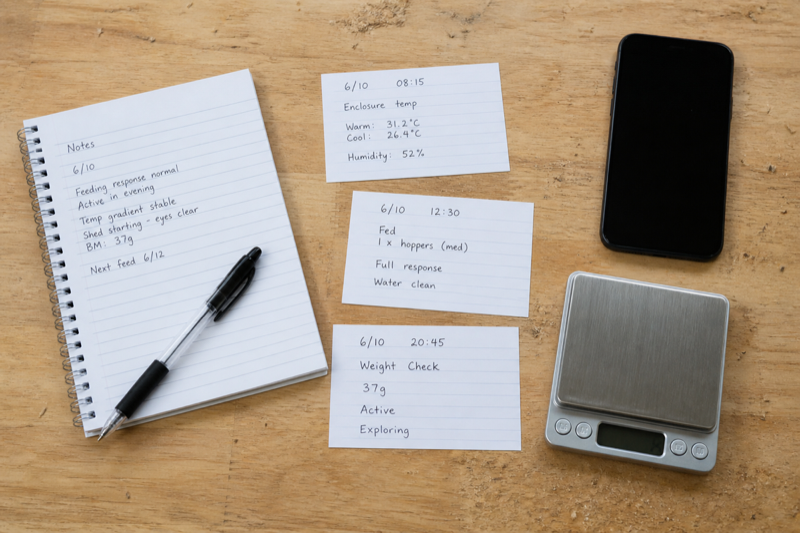
Feeding should support accepted and refused results, prey or food details and notes. Measurements need value, unit and date. Shed or molt events need a result. Cleaning, water, medication and health observations should be separate event types when you expect to filter them later.
Environment fields
Store the measurement, unit, sensor location and time. A number without placement can be misleading. Manual readings and automatically imported sensor data should be distinguishable. Equipment replacement dates for UVB lamps, probes and batteries belong in tasks or maintenance history.
Breeding and transfer fields
Pairings, clutches, parent links, hatch dates and offspring IDs need relationships rather than copied notes. Transfer records should preserve the animal’s identity and a useful care summary without exposing unrelated private information.
Fields that cause trouble
- One giant notes box for every event
- Weight without a unit
- Names used as unique identifiers
- Dates stored in an ambiguous local format
- Automatic predictions mixed with observed facts
- Required fields that do not apply to every species
A good default form
Keep the first screen short: animal, event, date, result and note. Reveal specialized fields only when the selected event needs them. Fast defaults are welcome, but the saved record should show what the app filled automatically.
FAQ
Should I record veterinary diagnoses?
Record the veterinarian’s wording and instructions accurately. Do not turn app suggestions into diagnoses.
Are photos part of the record?
They can be. Check whether they appear in exports or require a separate backup.
Use the index with two checks: Compare ongoing cost in the reptile app pricing guide, then verify portability and account risks with the export and privacy checklist.