Category: Data & Research

Original tests, benchmarks and reptile technology datasets.

  • How to measure basking temperature without fooling yourself

    How to measure basking temperature without fooling yourself

    Quick verdict: A useful basking measurement describes a surface, a position and a time after warm-up. Pointing a thermometer at the brightest spot once is not a method. Map the whole usable area and record the conditions that produced it.

    We judge the device or method by the job it can repeat. Keep the FLIR Edge Pro review and temperature monitoring tools nearby while planning the setup.

    Point What to know
    Warm-up Measure after the system reaches a stable cycle
    Target Animal-height basking surface, not the bulb
    Pattern Center, edges and retreat route
    Record Distance, room temperature, time and heater setting

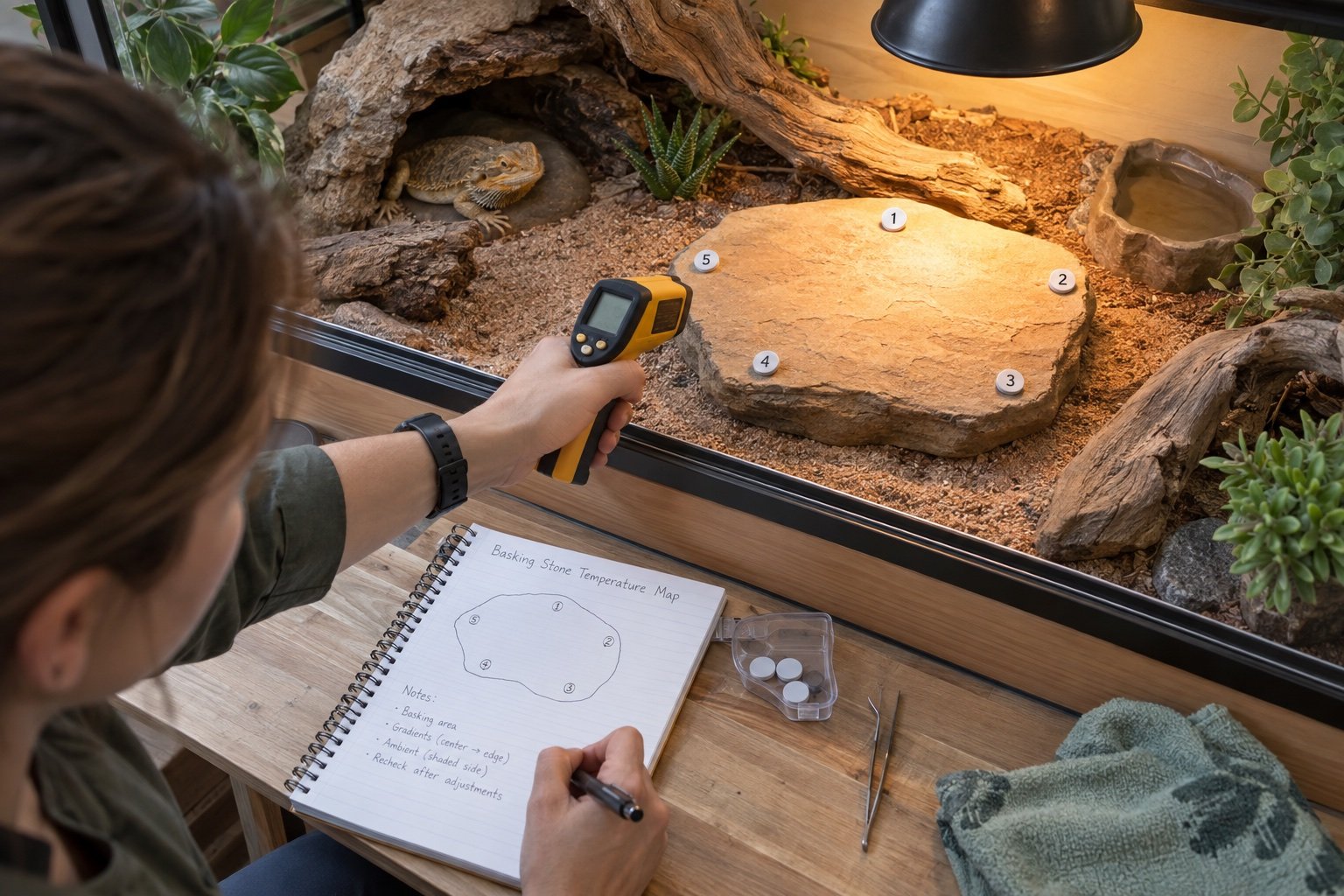
    Mark the exact surface

    Choose the stone, branch or platform the animal can actually occupy. Mark the center and edges with removable reference points outside the contact area. Measure at the height and angle that represent the surface, not through glass. If the animal’s back sits much closer to the lamp than the platform, include that geometry in the safety check.

    Let the enclosure finish warming

    A surface may climb quickly while deeper material and room air continue changing. Start from a normal cold morning and record readings at intervals until the curve settles. Repeat near the end of the day. A thermostat can hold its probe steady while a dark rock continues gaining heat under light.

    Respect distance-to-spot ratio

    Infrared thermometers average a spot that grows with distance. At long range, the reading may mix a warm branch with cooler background. Move close enough for the measured spot to fit entirely on the target while respecting the instrument’s minimum distance. A laser marks aim, not the exact sampled circle.

    Map choices, not one maximum

    Take the center, both edges, the route into shade and the surface inside the nearest hide. A healthy thermal layout gives the animal several usable choices. The temperature gradient mapping guide expands this into a repeatable enclosure record.

    Do not confuse body and surface readings

    A quick scan of the animal can be informative, but scales, angle and recent movement affect it. It is not a substitute for habitat measurements or veterinary assessment. Use equipment readings to inspect the environment, then interpret behavior alongside species-specific husbandry and health information.

    What a good installation looks like after one week

    The equipment should be boring. Cables remain where they were fixed, schedules occur at the expected local time and the animal can use the enclosure without touching a probe or blocking a sensor. Charts show ordinary cycles rather than unexplained steps. Alerts are rare enough that someone will act on them.

    Repeat the acceptance check after major cleaning, seasonal room changes or firmware updates. If the system cannot recover cleanly from a routine interruption, it is not ready to become invisible infrastructure.

    Think about the next person who will touch it

    A clear label and one-page record are better than a clever setup that only its builder understands. Name every channel by enclosure and job. Put the normal reading range, emergency shutoff and last test date where a carer can find them without opening an account or searching old messages.

    Keep spare batteries, compatible probes and a basic manual near the room, but outside humid air. Do not store an unknown spare heater and assume it can be connected to the same controller. Record wattage, control type and the settings that were actually tested.

    Review cost as part of the system

    The purchase price is only the beginning. Include replacement sensors, lamps, batteries, cloud plans and the time needed to export or inspect data. A cheaper product that creates weekly false alarms can cost more attention than a simpler, stable device.

    That does not mean the most expensive option wins. Buy the least complex system that safely performs the required job and leaves a readable record. Extra channels and connected features are worthwhile when they remove a real task, not when they merely make the dashboard look complete.

    Keep the system easy to reverse

    During early testing, use mounts and routing that can be adjusted without damaging the habitat. Mark the successful positions before making them permanent. Change one part at a time and keep the previous setting in the record. If the result gets worse, you should be able to return to the proven baseline.

    Reversibility also applies to software. Export settings or photograph every screen before a reset. Avoid experimental automation on the same day that lamps, probes or enclosure furniture change.

    Use the animal’s routine as a final check

    Numbers describe the environment, while behavior shows how the animal uses the available choices. Note basking, hiding and movement at the same times for several days. A new device may be working electrically while its light, sound, airflow or placement alters normal use of the habitat.

    Behavior cannot diagnose a technical fault by itself. Treat an unexpected change as a reason to inspect the enclosure, verify measurements and consider health, not as permission to keep adjusting settings until the chart looks pleasing.

    Common mistakes

    • Trusting the first stable-looking number without mapping the surrounding zone
    • Changing several settings at once and losing the cause of the result
    • Leaving probes, cables or mounts where normal animal movement can shift them
    • Treating an app or remote alert as the primary safety control
    • Skipping a power-recovery test because the device retained settings once

    Related Reptile Tech Lab guides

    Frequently asked questions

    Can I measure through glass?

    No. You will mainly measure or reflect the glass surface.

    How many points should I take?

    Enough to capture the center, edges and route to shade. Five to seven points is a practical start.

    Is the laser the measured spot?

    No. The instrument averages a larger area determined by its optics and distance.

    Should I measure the reptile directly?

    Habitat surface measurements are safer and more repeatable for setup work.
  • Reptile app feature index: the fields that matter

    Verdict: A reptile app feature index is useful when every yes or no has a source, test date and clear definition. Marketing labels alone do not make a dependable comparison.

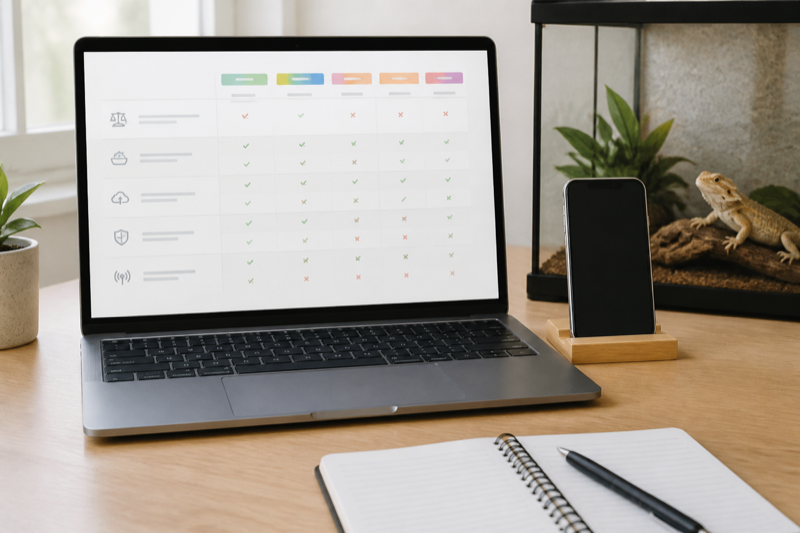
    Structured comparison table for reptile app features

    What the reptile app feature index records

    The index covers platforms, animal profiles, feeding, weight, sheds, reminders, multi-animal workflows, import, export, offline behavior, privacy controls and connected sensors.

    How a feature earns a yes

    We count a feature only when it works in the public version we can test. A roadmap item is not available. A beta receives its own label. Regional or plan limits sit beside the result.

    Test notes and evidence used for a reptile app feature comparison

    Definitions prevent misleading tables

    Export means a user can obtain a usable copy of records, not merely a screenshot or PDF summary. Offline means a defined task works without a network and syncs later. Each term will link to its test rule.

    Update policy

    Identity fields

    Use a permanent internal ID, display name, species, sex when known, date of birth or acquisition, source and current status. Morph and genetics fields may matter for breeders, but they should not replace the stable ID. Enclosure location belongs in its own field because it changes.

    Care events

    Feeding should support accepted and refused results, prey or food details and notes. Measurements need value, unit and date. Shed or molt events need a result. Cleaning, water, medication and health observations should be separate event types when you expect to filter them later.

    Environment fields

    Store the measurement, unit, sensor location and time. A number without placement can be misleading. Manual readings and automatically imported sensor data should be distinguishable. Equipment replacement dates for UVB lamps, probes and batteries belong in tasks or maintenance history.

    Breeding and transfer fields

    Pairings, clutches, parent links, hatch dates and offspring IDs need relationships rather than copied notes. Transfer records should preserve the animal’s identity and a useful care summary without exposing unrelated private information.

    Fields that cause trouble

    • One giant notes box for every event
    • Weight without a unit
    • Names used as unique identifiers
    • Dates stored in an ambiguous local format
    • Automatic predictions mixed with observed facts
    • Required fields that do not apply to every species

    A good default form

    Keep the first screen short: animal, event, date, result and note. Reveal specialized fields only when the selected event needs them. Fast defaults are welcome, but the saved record should show what the app filled automatically.

    FAQ

    Should I record veterinary diagnoses?

    Record the veterinarian’s wording and instructions accurately. Do not turn app suggestions into diagnoses.

    Are photos part of the record?

    They can be. Check whether they appear in exports or require a separate backup.

    Use the index with two checks: Compare ongoing cost in the reptile app pricing guide, then verify portability and account risks with the export and privacy checklist.

  • Reptile app pricing comparison: calculate the real cost

    Verdict: A reptile app pricing comparison should show the cost for your collection over time. Monthly headline prices hide annual commitments, animal limits and paid export or storage.

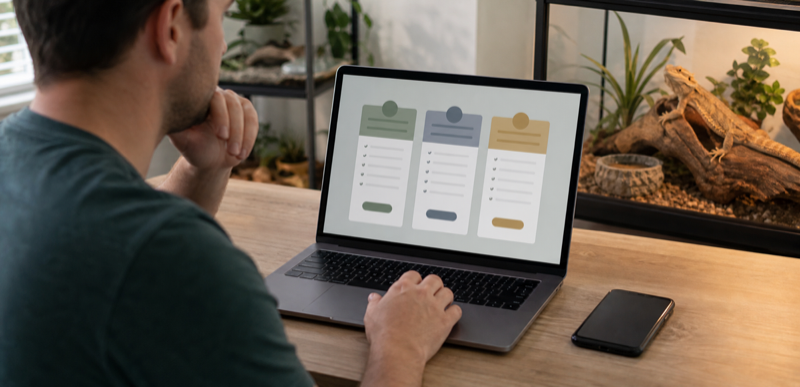
    Keeper comparing reptile app subscription costs

    Build a reptile app pricing comparison

    Record currency, region, billing period, tax treatment and check date. Note whether the same account covers multiple devices and whether the plan limits animals, photos or reminders.

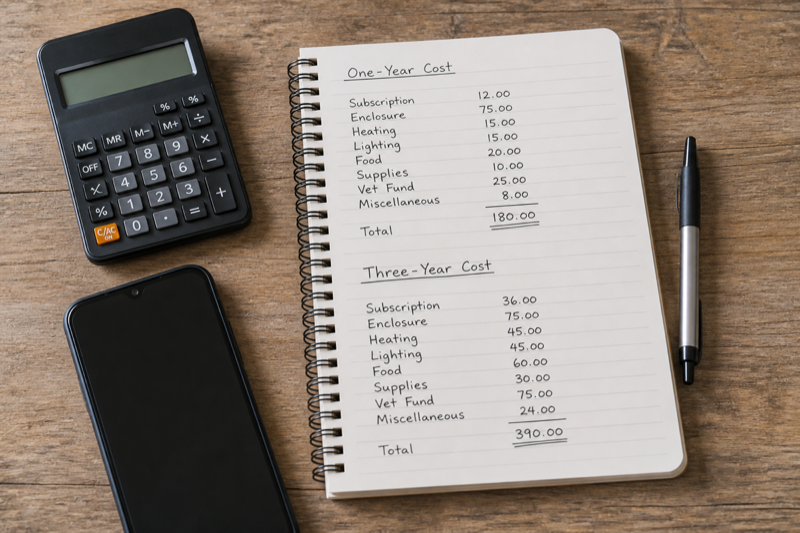
    Notebook calculation of one year and three year reptile app cost

    Calculate one and three years

    Include required add-ons and likely plan upgrades as the collection grows. Treat a temporary launch discount separately from the standard renewal price.

    Free trials need an exit check

    Record the trial end date and cancellation method. Check whether records remain readable after cancellation and whether export is available before the account closes.

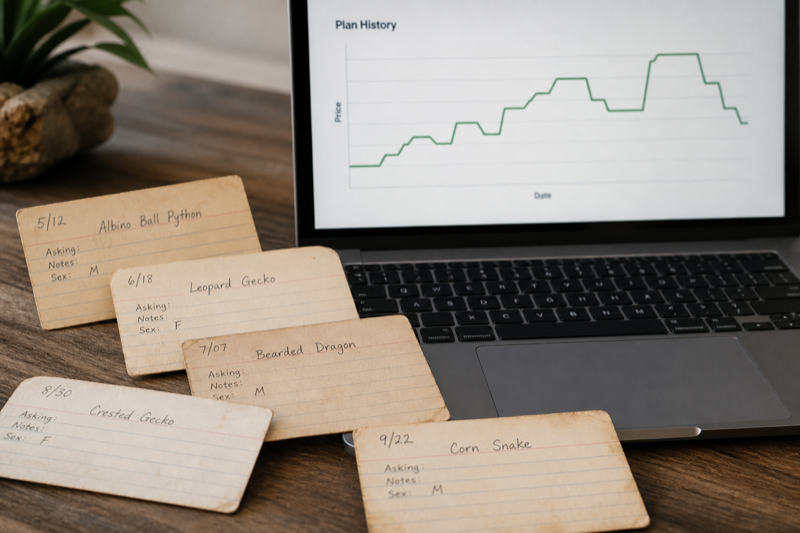
    Dated reptile app price history notes

    Current free and paid structures

    Husbandry.Pro Next publishes a free five-animal plan and paid tiers that increase animal limits and unlock breeder, security and team features. Reptile Scan publishes Free, Standard and Professional plans, with both animal and monthly-registration limits on Free. Reptile Rocket offers one animal before a subscription is required. Store prices can vary by country and platform.

    Calculate annual cost

    Use the price you will actually pay, including taxes, monthly versus annual billing and the tier required for your expected animal count. Add label supplies, supported sensors or separate cloud storage only if the workflow needs them. Do not assign an hourly dollar value to every setup task, but do acknowledge migration and training time.

    Watch for threshold jumps

    A plan can be inexpensive until animal number 51, a second user or a required export feature pushes you into the next tier. Model today’s collection and a realistic next-year collection. For Reptile Scan, include event volume because the free plan caps registrations as well as animals.

    Cancellation questions

    • Does the plan renew automatically?
    • What remains readable after cancellation?
    • Can you export before and after the paid period ends?
    • Are photos, documents and deleted animals included?
    • Is account deletion separate from cancelling billing?

    Value is not the longest feature list

    Pay for the workflow that saves effort or reduces errors. A breeder may reasonably pay for batch actions and team roles. A one-snake keeper may get more value from a free tracker or a calendar by the enclosure.

    FAQ

    Is annual billing always better?

    Only after the app has survived a real trial and you are comfortable with export. Monthly billing costs more but reduces commitment.

    Should price be the final ranking factor?

    No. Reliability, portability and daily usability can outweigh a small monthly difference.

    Pressure-test the price: Our free reptile apps guide shows where no-cost plans become restrictive. The export and privacy checklist covers the cost of leaving later.

  • Reptile app data export and privacy: what to check

    Verdict: Reptile app data export deserves a test before you enter years of history. A portable file, understandable permissions and a clear deletion process are basic ownership controls.

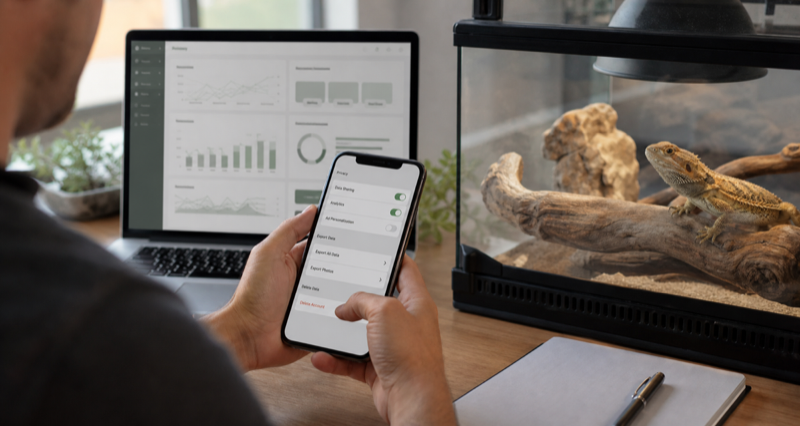
    Keeper checking reptile app privacy and export settings

    Run a reptile app data export test

    Create two sample animals with feeding, weight, shed and note entries. Export them, open the file on another device and compare every field with the app. Look for missing units, changed dates and truncated notes.

    Exported reptile records opened on a laptop beside a phone

    Review permissions in context

    A camera permission may support photos or scanning. Location access needs a clear reason. Check whether optional permissions can be denied without breaking unrelated records.

    Find the deletion path

    Account deletion should explain what disappears, what may be retained and how long the process takes. Export first. Deleting an app from a phone does not necessarily delete the account.

    Keep independent backups

    Store dated exports outside the service and test them occasionally. Portability is not a one-time migration task. It is a habit that protects the animal history from product changes, lost access and simple mistakes.

    Export before you commit

    Create two sample animals and several event types, then export. Open the file outside the app. Look for stable IDs, full timestamps, units, event names and complete notes. Check whether photos and documents are included or need a separate download.

    Readable is not the same as portable

    A PDF is useful for a vet, buyer or archive. CSV and XLSX are easier to inspect and move into another system. A proprietary export may preserve more relationships, but only if another account or service can import it. Ideally, keep both a human-readable report and structured data.

    Read privacy disclosures carefully

    Apple’s privacy labels and Google Play’s Data safety section summarize information supplied by developers. Use them to compare apps, then read the linked policy and check device permissions. Camera access may support photos or QR scanning. Location access deserves a specific explanation.

    Account deletion and app deletion differ

    Removing an app from a phone does not necessarily close the account or erase cloud data. Find the deletion route before entering years of records. Export first, note any retention period and cancel billing separately when required.

    Backup routine

    1. Export after the initial setup.
    2. Make a dated export on a regular schedule.
    3. Store it outside the app account.
    4. Open a sample file and compare several records.
    5. Keep at least one older version in case the newest file contains a mistake.

    FAQ

    Does “no data collected” mean no risk?

    No. Store declarations are helpful, but you should still review permissions, backups, account behavior and the current policy.

    What if an app has no export?

    Limit the history you entrust to it or choose another system. Screenshots are a poor substitute for structured records.

    Turn the checklist into a migration plan: Follow the guide to moving from a spreadsheet to an app, and use the feature index to verify that essential fields survive the move.