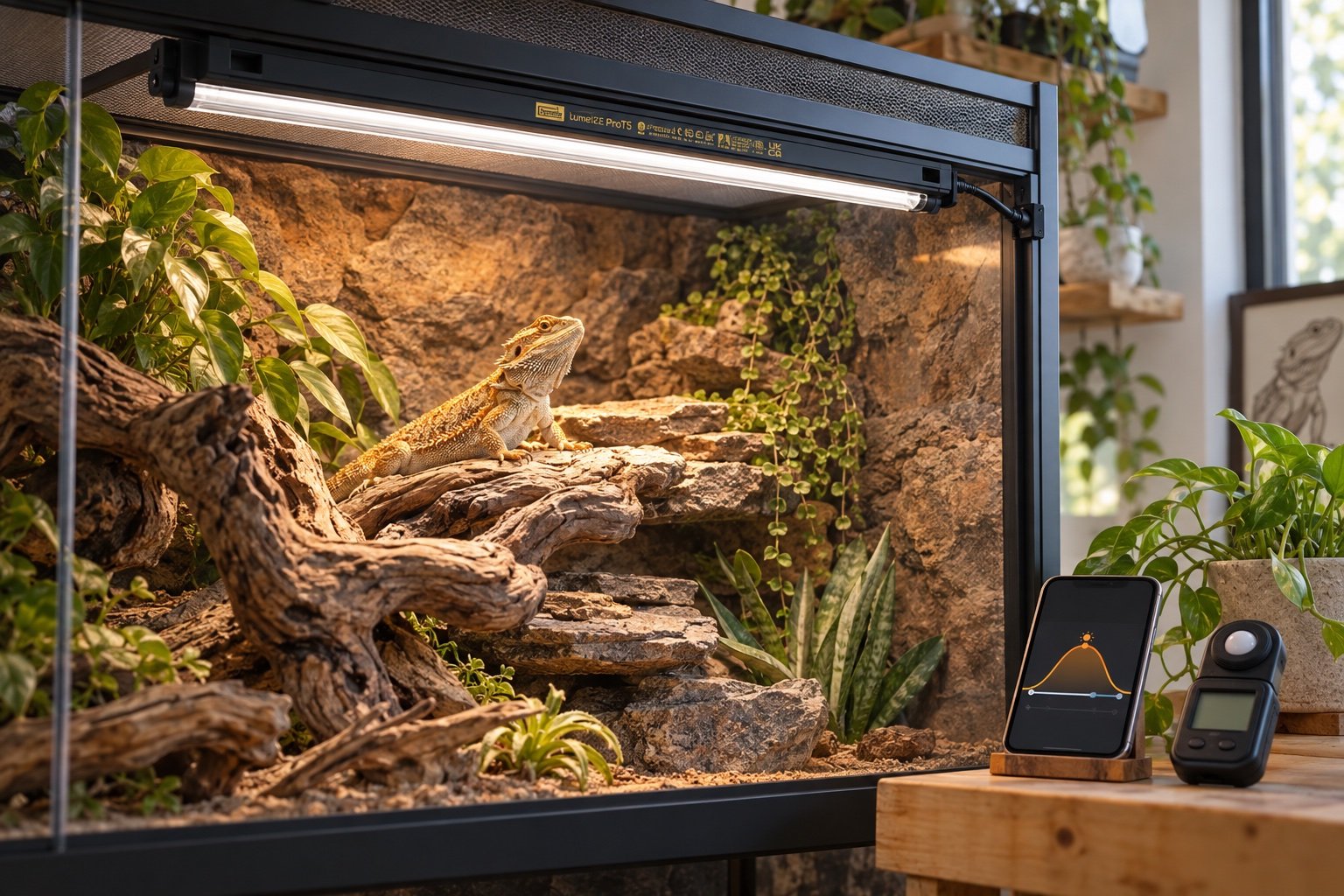
Quick verdict: LumenIZE ProT5 adds programmable ramps and local schedule memory to a familiar T5 UVB format. It is worthwhile for keepers who will measure the resulting UVI curve. Dimming percentages are controls, not husbandry measurements.
The useful comparison is the complete enclosure, not the number on the display. Our standard Arcadia ProT5 review and UVB through mesh provide the surrounding checks.
| Point | What to know |
|---|---|
| Control | Bluetooth app with stored daily schedule |
| Protection | Current LumenIZE range rated IP65 |
| Memory | Internal memory with replaceable backup battery |
| Compatibility | LumenIZE links only with compatible LumenIZE products |
A sunrise curve changes exposure, not just appearance
A ramped morning looks gentler than an instant switch, but the practical effect is a changing UV Index across the day. Measure at full output first. Then sample the programmed curve at the same marked basking point. The percentage shown in the app is not guaranteed to equal the same percentage of UVI at every point. Our UVB lighting guide explains how to build a usable zone before adding automation.
The schedule lives in the fitting
Arcadia says the programmed cycle is stored in the bar and backed by an internal battery. That is the right architecture for a habitat device because a phone does not need to remain nearby. Test it. Disconnect power, wait, restore it and check both the clock position and actual output. Repeat after app updates or a battery change.
Compatibility is easy to misunderstand
LumenIZE bars do not gain control by linking them to older standard ProT5 or LED Bar kits. The app controls the compatible LumenIZE hardware. Check product codes before ordering link cables or planning one power run. Mixing generations can leave you with a physically connected system that does not behave as expected.
Monthly refresh and manual recovery deserve attention
The instructions recommend a monthly full-power refresh. They also describe a hardware sequence for recovering control or resetting a used fitting. Put those steps in the maintenance record instead of relying on memory. If the app becomes unavailable, the light can run at full output, but dimming control requires the app.
Who gains from the upgrade
A keeper already measuring UVI, documenting lamp age and tuning a complex day cycle can use LumenIZE well. Someone who has not mapped distance and mesh should start with the standard Arcadia ProT5 review and a reliable timer. Automation is the last layer, not the first correction.
A seven-day field check
Run the finished setup for a week before treating it as settled. On day one, photograph every position and record the room conditions. Watch the first warm-up and the final hour of the schedule. Midweek, compare the main reading with an independent instrument placed beside it long enough to stabilize. Near the end of the week, test a safe interruption such as a network loss or short power cut.
Do not tune settings every time a single reading looks odd. Look for a repeated pattern and change one variable. A clear notebook entry is more useful than a folder of screenshots with no explanation.
Build a baseline you can reproduce
Write down the room temperature, enclosure dimensions, heat and light sources, probe positions and the time each reading was taken. A number without that context is hard to compare. Use a photograph from the same angle and place a small reference mark outside the animal’s contact area. The next check should be able to recreate the first one without relying on memory.
Run the setup from a normal overnight low instead of beginning with an already warm habitat. Note how long it takes to reach the working zone and whether it overshoots. Then repeat with the enclosure doors closed, lids fitted and ventilation in its final position. A test performed while the habitat is open describes the workshop, not daily use.
Decide what would make you stop using it
Set rejection points before becoming attached to the purchase or layout. A drifting probe, missed schedule, damaged cable, unreachable sensor or unreliable power recovery is a reason to pause. So is a control that only works while a phone or cloud service is available. Write the limit and the action beside it.
Small disagreements deserve investigation, not panic. Move the independent sensor beside the control probe, wait for both to stabilize and compare again. If the difference follows one location, placement is probably the issue. If it follows one device, calibration or replacement may be needed.
Read the graph like a maintenance record
A smooth line is not automatically a good line. Check whether the highs and lows occurred when lights, heat and misting were supposed to change. A flat sensor can indicate stable conditions, but it can also indicate a dead battery, failed sync or probe pressed against a large thermal mass. Compare the chart with an observed event.
Write a short note whenever the enclosure is opened for a long clean, moved to another room or left with a temporary heater. Those annotations explain the odd parts of the history. Without them, a future reviewer may try to correct a normal event or overlook a real fault.
Make replacement predictable
Save the model, purchase date, compatible replacement part and the last known-good settings. Keep an export or photograph outside the device app. When a sensor, controller or lamp fails, the replacement should begin from a documented baseline rather than a guess.
Do not discard the old unit until the new setup has completed a full cycle and the numbers have been compared. A replacement can be newer and still be wrong for the heater, socket, enclosure depth or network. Recommission it as a different system.
Common mistakes
- Trusting the first stable-looking number without mapping the surrounding zone
- Changing several settings at once and losing the cause of the result
- Leaving probes, cables or mounts where normal animal movement can shift them
- Treating an app or remote alert as the primary safety control
- Skipping a power-recovery test because the device retained settings once
Related Reptile Tech Lab guides
Frequently asked questions
Does the lamp keep its schedule without a phone nearby?
The schedule is stored in the fitting. Test power recovery as part of setup.
Can the app control an older ProT5?
No. Standard non-LumenIZE products do not gain app control.
Is a dimming percentage the same as UVI?
No. Measure UV Index at the animal’s position.
Can it run at all without the app?
It can operate at full output, while programming and dimming depend on the app.