Verdict: QR codes for reptile records can cut profile search time, but the code should point to a stable identifier rather than contain private animal or owner data.
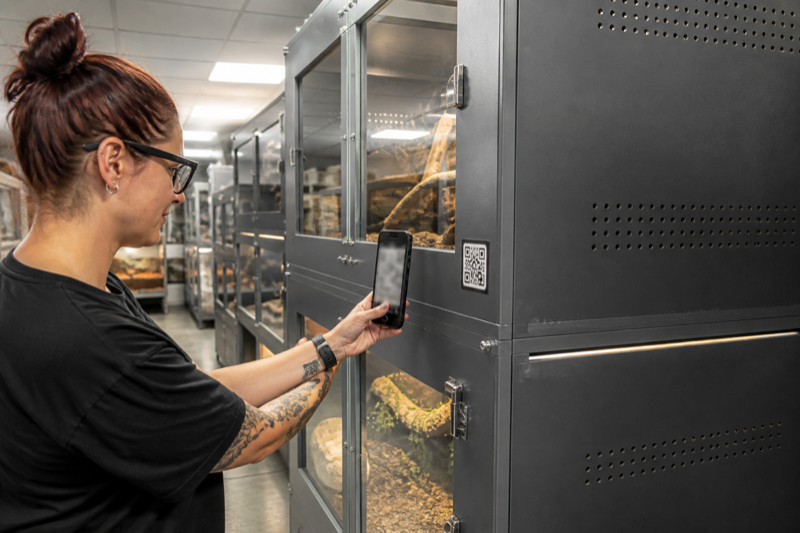
Choose what the code opens
A code can open a local record, a web profile or an app deep link. Test what happens when the user is logged out, offline or using a new phone. A printed label will outlive many app sessions.
Keep private data out of the pattern
Anyone with a camera may scan a visible code. Store only a random ID or protected link when possible. Do not encode an address, phone number or private care history directly.
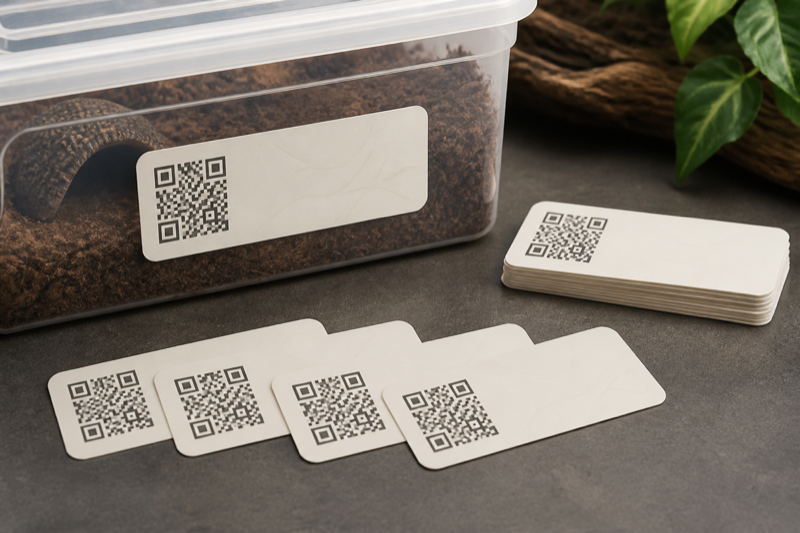
Print for the room
Use high contrast, quiet space around the code and a surface that resists moisture and cleaning. Test labels from the angle and distance you actually use. Keep the animal name or ID readable without a phone.
Plan for replacement
Maintain a label list and print date. If links change, replace labels in a controlled batch and destroy obsolete copies so they do not send a keeper to the wrong profile.
Use QR codes as pointers, not databases
A label should identify the animal or enclosure and open the correct record. Avoid packing private notes or changing care instructions directly into a static code. A short stable ID is easier to replace, audit and transfer.
Choose a label system
Reptile Scan can generate animal and rack labels in several print formats. Husbandry.Pro offers QR-based workflows, and other services such as ReptiDex publish public-profile code options. A home-built system can point to an internal form or spreadsheet, but permissions need careful testing.
Print for the room you have
- Use enough contrast and quiet space around the code.
- Keep the human-readable animal ID beside it.
- Protect labels from spray, abrasion and cleaning products.
- Do not place adhesive where an animal can contact or ingest it.
- Test with the oldest phone your helpers use.
Prevent wrong-animal records
The screen after scanning should show a large ID, name, photo and enclosure location. Require a visual check before a batch action. Keep a correction procedure that does not erase the audit trail. For rack codes, show the selected occupants before saving.
Public and private codes
Scan labels while signed out. A public sale card may be intentional; a private medical note is not. Reprint codes when an animal moves to a new owner or when the destination URL changes. Keep an inventory that links each physical label to its record.
FAQ
Do QR codes work offline?
The camera can read the pattern, but a web record usually needs a network connection. Test your actual app in airplane mode.
What if a label is damaged?
The readable ID should still let a helper search manually. Keep spare labels and the source file.
Test the complete workflow: The Reptile Scan review evaluates a scan-first app, while the guide to large collection management shows where labels fit into daily checks.