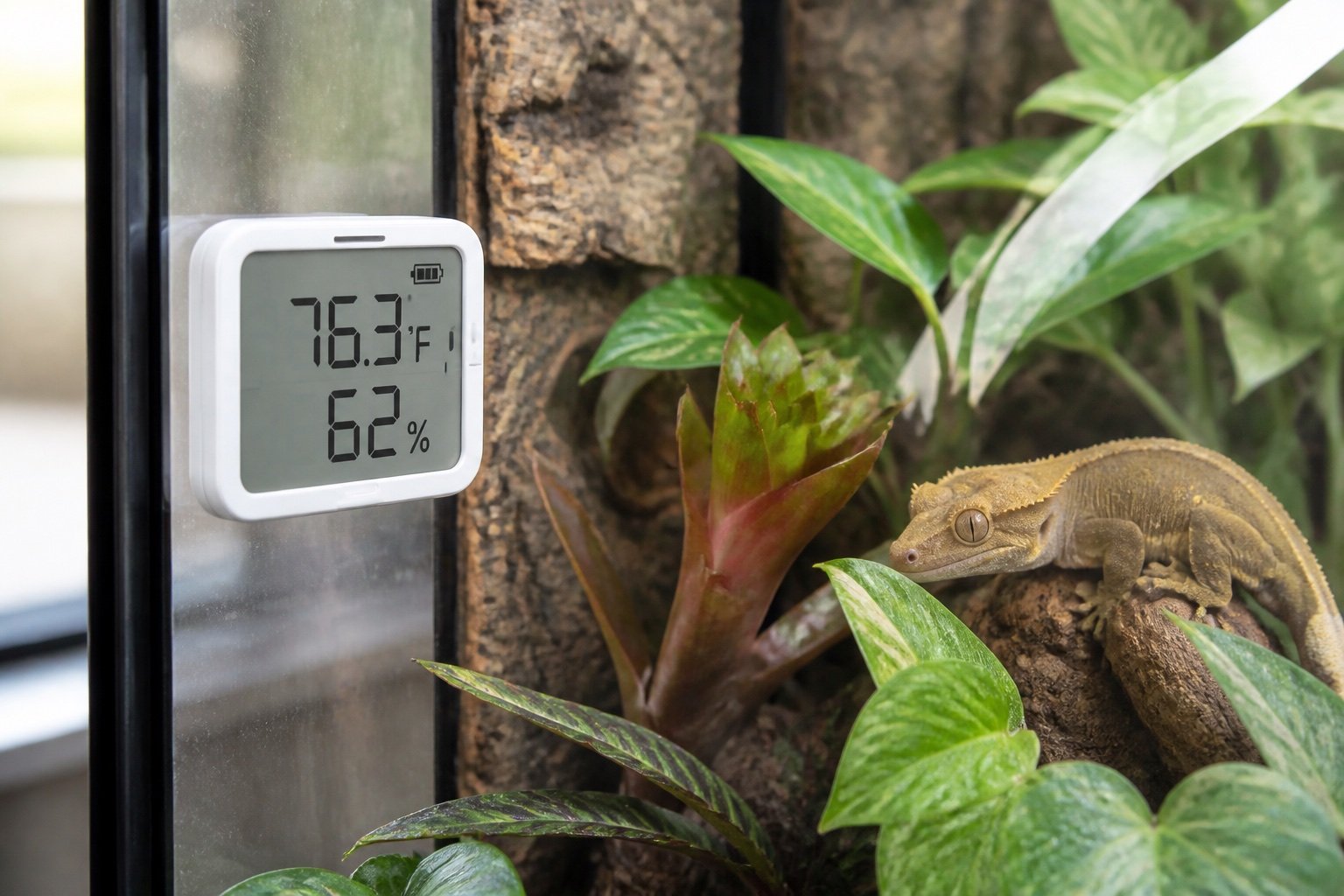
Quick verdict: SwitchBot Meter Plus is a practical choice when a large local display and downloadable history matter. It offers good stated accuracy and CSV export, but remote notifications require a SwitchBot hub and the case should stay away from direct spray.
SwitchBot Meter Plus reptile review: readable display and useful history is a narrow buying and setup question, so this guide stays focused on that job. It does not repeat our broader category pages. The aim is to help you choose, install and verify the equipment without turning one convenient device into a single point of failure.
What matters in this comparison
| Factor | Option or result | Why it matters |
|---|---|---|
| Display | 3 inch | Readable during rounds |
| Typical accuracy | ±0.2 C, ±2% RH in core range | Suitable for trend monitoring |
| Bluetooth range | Up to 120 m in ideal conditions | Walls reduce it |
| Battery | Two AAA, about one year | Easy to replace |
Specifications are useful for screening products, but enclosure performance depends on placement. Room temperature, ventilation, mesh, substrate moisture and animal access can move the result far from a brochure figure. Work from a measured baseline and change one variable at a time.
How to set it up
1. Pair and label first
Use enclosure and zone in the name. Test the result under normal enclosure conditions and write down what you observed. A setting that works on an empty bench can behave differently after decor, ventilation and daily room changes are added.
2. Mount in free air
Leave space around vents. Test the result under normal enclosure conditions and write down what you observed. A setting that works on an empty bench can behave differently after decor, ventilation and daily room changes are added.
3. Compare two positions
A single wall reading may miss the basking gradient. Test the result under normal enclosure conditions and write down what you observed. A setting that works on an empty bench can behave differently after decor, ventilation and daily room changes are added.
4. Check app history
Confirm the phone actually syncs. Test the result under normal enclosure conditions and write down what you observed. A setting that works on an empty bench can behave differently after decor, ventilation and daily room changes are added.
5. Export a trial CSV
Do it before relying on long records. Test the result under normal enclosure conditions and write down what you observed. A setting that works on an empty bench can behave differently after decor, ventilation and daily room changes are added.
What ownership looks like after the first week
The first week should be treated as commissioning, not proof that the system will remain stable. Check the morning minimum, daytime peak and the transition between them. Look for loose probes, wet connectors, drifting clocks, blocked vents and any behavior that suggests the animal cannot use the intended zone.
After the setup settles, use a short written routine. A glance at the device is not enough. Compare it with an independent instrument, inspect cables and mounts, and review stored history when available. Replace consumable parts based on condition and verified performance rather than memory.
Common mistakes
- Mounting next to a mist nozzle
- Reading the screen but never checking history
- Expecting hub features without buying a hub
- Using adhesive that releases in humidity
- Treating humidity accuracy as constant at extremes
Who this approach suits
This approach suits keepers who want a system that another person can understand during a holiday or emergency. It also scales better across several enclosures because labels, baseline readings and failure tests remove guesswork. If a device requires constant manual correction, the installation needs work even when its feature list looks impressive.
How to verify the result in a real enclosure
A logger earns its place by showing patterns that a spot check misses. Review at least a week that includes misting, heating transitions and a normal room-temperature swing. Look for repeatable timing, not isolated spikes. A brief peak immediately after spray may be expected; a rising overnight baseline can point to restricted ventilation or wet substrate.
Before trusting alerts, force a harmless test. Warm the sensor in your hand, move it briefly to a drier room and confirm the notification arrives when the phone is locked. Then document Bluetooth or gateway coverage at the actual enclosure. Thick cabinets, foil insulation and distant rooms can shorten the advertised ideal range substantially.
A practical seven-day check
- Day one: photograph positions, record room conditions and capture baseline readings.
- Day two: review the full day-night transition and check that schedules occurred at the intended local time.
- Day three: inspect mounts, probe restraints, plugs, tubing and any area exposed to moisture.
- Day four: compare the main reading with an independent instrument placed beside it long enough to stabilize.
- Day five: review animal access and behavior. Confirm that equipment does not block hides, climbing routes or the cool zone.
- Day six: simulate one safe failure, such as a short internet loss or power interruption, then check recovery.
- Day seven: save the final settings and observations in the enclosure record.
Repeat the short version of this audit after major cleaning, seasonal room changes or equipment replacement. The point is not constant tinkering. It is catching the few changes that can quietly alter a previously stable habitat.
Related Reptile Tech Lab guides
- thermometer and hygrometer guide
- Govee H5075 review
- temperature monitoring tools
- Govee vs SensorPush comparison
- SensorPush HT.w review
Frequently asked questions
Should I rely on the built-in display?
No. Use a separate thermometer, hygrometer, light meter or logger appropriate to the job. Independent verification catches probe movement and controller errors.
How long should I test before animals or eggs depend on it?
At least one complete day-night cycle, and longer for equipment affected by room weather or water use. Incubation and emergency systems deserve several days plus a power-loss test.
Can an app replace local control?
An app is useful for history and alerts. Critical regulation should continue safely when the phone, router or cloud service is unavailable.
What should I record?
Record device model, installation date, set points, probe location, baseline readings and the result of outage or disconnection tests. Those notes make later troubleshooting much faster.